
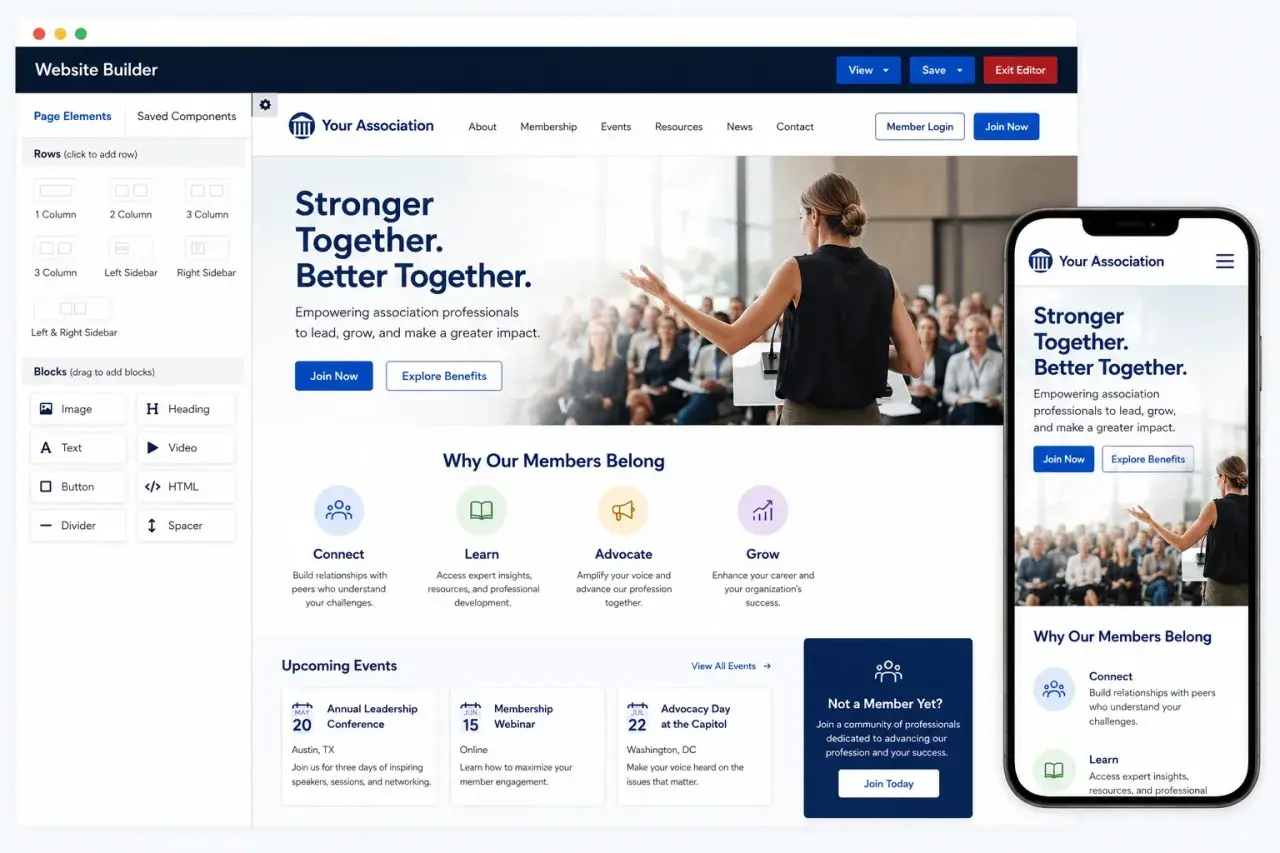
Association websites do more than explain who an organization is. They have to support renewals, event signups, member-only content, donations or dues, and day-to-day communication without forcing staff to stitch together a messy stack of tools. The best association website platforms make that work feel invisible, which is exactly why the choice matters for small teams and larger U.S. associations alike.
The best platform is the one that removes friction from membership work
- The real decision is not just design. It is whether you need a simple marketing site or a full membership system.
- All-in-one association software reduces admin work, but it usually gives you less design freedom than a flexible CMS.
- Generic website builders can be cheaper upfront, yet the true cost often rises once you add membership, email, and payment tools.
- Accessibility and mobile usability affect trust, renewals, and event registrations more than most teams expect.
- The right fit depends on your operating model member volume, event complexity, chapters, staff size, and technical support all matter.
What a strong association site has to handle
When I evaluate a site for an association, I start with the work behind the scenes, not the homepage design. A good system has to connect the public site with the member experience, because those two pieces usually fail together if they are built separately.
For most U.S. associations, that means the platform should handle a few things without extra friction:
- New member applications and renewals.
- Event registration, discounts, and confirmation emails.
- Member directories and profile updates.
- Gated content for members, chapters, or committees.
- Invoices, receipts, dues, and recurring payments.
- Staff editing workflows that do not require a developer every time a page changes.
The important point is that these tasks are connected. If renewals live in one tool, events in another, and the website in a third, staff end up spending time on manual cleanup instead of serving members. Once that structure is clear, the real decision becomes whether to buy an all-in-one system or assemble a stack that behaves like one.

The main platform types and where each one fits
Most association software choices fall into four buckets. I would not pick by brand first; I would pick by operating model, because that is what determines cost, control, and how much work the staff team inherits after launch.
| Platform type | Best for | Strengths | Tradeoffs | Typical budget pattern |
|---|---|---|---|---|
| All-in-one AMS with website tools | Small to mid-sized associations that want one system for website, dues, events, and member data | Fewer integrations, faster setup, fewer handoffs between staff | Less design flexibility and more vendor dependency | Often starts in the tens to low hundreds per month, then grows with usage or support needs |
| CMS plus membership tools | Associations that care about publishing, campaigns, and brand control | Stronger design freedom, better content workflows, easier to extend | Requires more setup, more plugins, and more ongoing maintenance | Lower base subscription, but the real monthly cost often lands higher once add-ons are included |
| Custom or agency-built stack | Large, federated, or highly specialized associations | Tailored workflows, strong brand control, room for complex permissions | Highest implementation cost and the most governance overhead | Usually a project in the low five figures and up, plus maintenance |
| Open-source association stack | Teams with technical support that want long-term ownership and flexibility | Deep customization and lower license fees | Someone must own updates, security, and integrations | Software may be inexpensive, but implementation and support still add up |
In practice, the tools people compare most often sit across those categories: all-in-one association suites, WordPress or Drupal with membership extensions, and agency-built systems layered around a CRM. The label matters less than the operating tradeoff. If your staff wants fewer moving parts, all-in-one usually wins. If your communications team lives in the website every day, a CMS-first approach can be the better long-term fit. That becomes obvious once you look at the features that actually affect daily operations.
Features that separate a useful platform from a pretty one
I would rather have a slightly plainer site that renews memberships cleanly than a beautiful site that creates manual work. The features below are the ones that consistently change the amount of time staff spends every week.
Member self-service
Members should be able to update their own profile, renew dues, download receipts, and register for events without calling staff. That sounds basic, but it is where many sites quietly fail. If every small change becomes a ticket, the platform is not really serving the association.
Events and payments
Events are often the economic engine of an association, so registration has to be boring in the best possible way. Look for discount codes, waitlists, group registration, invoices, and automated confirmations. In the U.S., ACH payment support can also matter because it lowers card processing costs for larger dues or sponsorship payments.
Content access and permissions
Associations rarely have a single audience. Public visitors, members, board leaders, chapter admins, and volunteers may all need different access. A good system handles role-based permissions, expired content, member-only libraries, and simple editorial controls. Without that, staff either overexpose private material or bury it behind awkward workarounds.
Accessibility and mobile performance
This is not a side issue. A site used by the public should be usable by people with disabilities, and it should work cleanly on a phone. I look for readable contrast, keyboard navigation, alt text support, labels on every form field, and layouts that do not break on small screens. For associations serving broad communities, accessibility is part of credibility, not just compliance.
Read Also: Eventbrite Nonprofit Pricing - Your Guide to Event Costs
Integrations and reporting
Even the best platform will need to talk to email, accounting, analytics, or a CRM. The question is whether those connections are native, stable, and easy to monitor. I also want reporting that tells me what members are actually doing: renewal completion rates, event conversions, top content, and drop-off points. Without that, teams end up guessing instead of improving.Once these features are clear, the next issue is budget, because association software is rarely expensive in only one way.
How I would choose with a U.S. nonprofit budget
In the U.S. market, the headline subscription price is only part of the story. A simple website builder may look cheap at first, but once you add membership tools, form plugins, email automation, and payment processing, the monthly bill often moves into a very different range. All-in-one association systems can look pricier upfront, yet they often save real staff time and cut down on integration work.Here is the sequence I use when I narrow the field:
- Start with the most painful workflow. If renewals are the biggest headache, prioritize membership automation. If publishing and campaigns matter more, start with CMS flexibility.
- Price staff time, not just software. If a platform saves even 5 hours a week, that is about 260 hours a year. For a small team, that can matter more than a modest subscription difference.
- Calculate total cost over 3 years. Include implementation, migrations, training, add-ons, payment fees, and support. A $60 monthly tool can become a $250 monthly stack very quickly.
- Run one real workflow live. Test a renewal, one event registration, and one member-only content flow on desktop and mobile before signing.
- Ask who owns the site after launch. If the answer is “the vendor for everything,” you are buying convenience with less control. If the answer is “our team with clear governance,” the platform has to be easy enough to support that reality.
That process usually reveals the right fit quickly. Small volunteer-led groups tend to do best with simpler all-in-one systems. Content-heavy advocacy groups usually need a CMS with stronger publishing tools. Larger professional associations often need deeper permissions, chapter management, and a CRM-backed structure. Even a smart choice can fail, though, if the migration or governance is sloppy.
The mistakes that cost associations the most
The most common mistake I see is buying on appearance alone. A polished template does not tell you whether the platform will handle real member work. The second mistake is underestimating migration. Old content, expired member data, duplicate contacts, and broken forms take longer to clean up than most teams expect.
Other mistakes show up later, after launch:
- Adding too many plugins and creating a fragile stack.
- Ignoring permissions, which leads to private content leaks or staff confusion.
- Skipping analytics, so no one knows where renewals or registrations are dropping.
- Failing to define who approves content changes.
- Assuming mobile users will tolerate the same flow as desktop users.
One bad renewal flow can do more damage than a year of software savings. If an association with 1,000 members loses just 5% because the process is clumsy, that is 50 members gone for reasons that are often preventable. That is why I want one last launch check before anything goes live.
What I would insist on before launch
If I were preparing a new site for an association today, I would not ask whether the homepage looks finished. I would ask whether three things work end to end: a renewal, an event registration, and a member-only page on both desktop and mobile. Those are the moments that tell you whether the platform is actually ready.I would also ask staff to do the editing themselves during the final review. If they cannot change a banner, publish an article, or update an event without help, the site is already too dependent on technical support. The best rollout leaves the team confident enough to operate the system without fear.
For associations and other mission-driven nonprofits, the right platform should reduce friction, protect member data, and support the community work behind the site. If a system does that cleanly, it earns its place. If it only looks good in a demo, it will become expensive in ways that never show up on the first invoice.
