
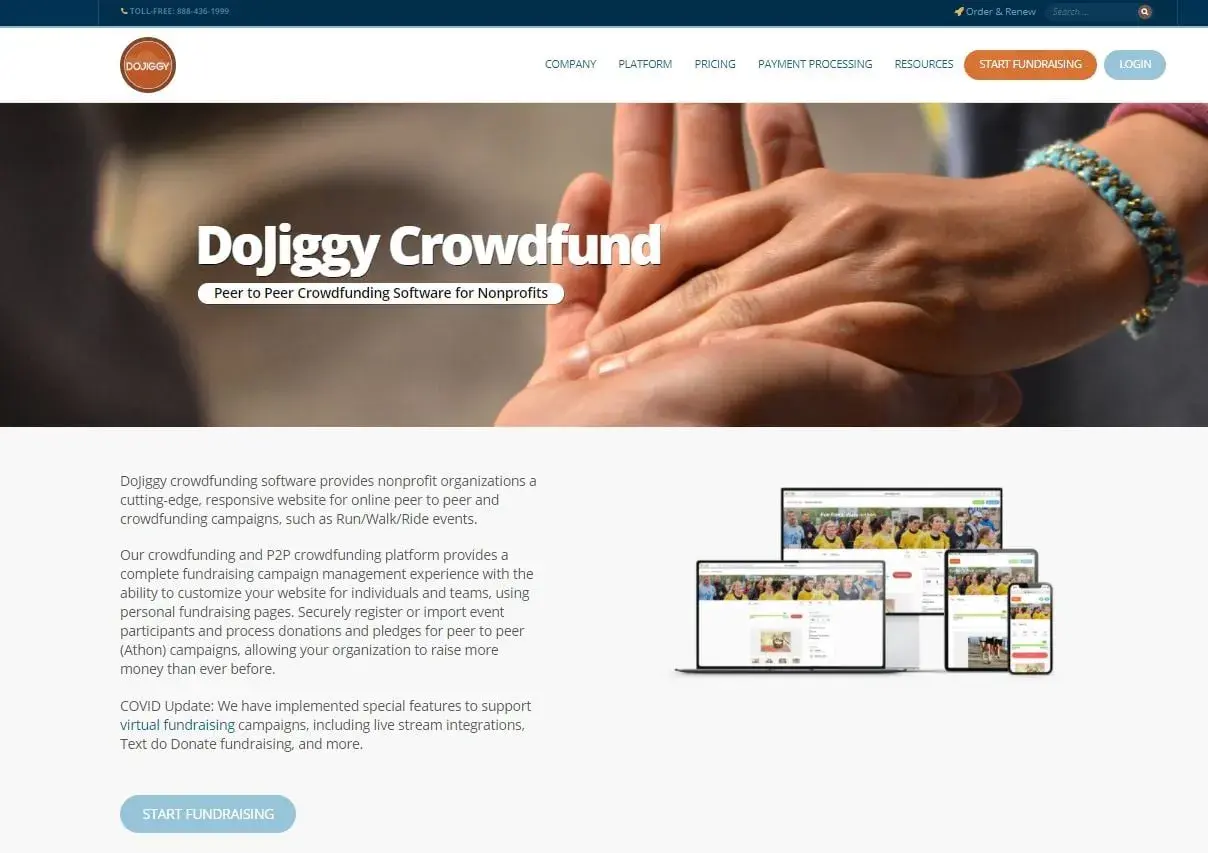
Fundraising software only earns trust when it saves time on the messy parts: registration, donor payments, receipts, team pages, and follow-up reporting. The current DoJiggy reviews point to a platform that is genuinely useful for campaign-heavy nonprofits, schools, and community groups, but not equally strong for every operating style. In this article I break down what the feedback really says, where the platform is strongest, where it still feels rough, and how I would judge its pricing and fit for a U.S. organization.
The key takeaways before you compare platforms
- Best fit: event-based fundraising such as walk-a-thons, golf tournaments, raffles, auctions, and peer-to-peer campaigns.
- Biggest strength: reviewers repeatedly praise support, setup speed, and the ability to launch donor-facing campaigns without a heavy fixed cost.
- Main drawback: some users still mention a learning curve, clunky navigation, and reporting or registration friction.
- Pricing angle: DoJiggy can be free with donor tips, or it can use percentage-based campaign pricing instead of a subscription.
- Practical caveat: the platform is more campaign-focused than full CRM-focused, so it may not replace broader nonprofit software for every team.
What DoJiggy is built to do well
I would describe DoJiggy as a fundraising engine first and a general nonprofit system second. It is designed for organizations that need a donor-friendly website, event registration, and payment collection around a specific campaign rather than a sprawling back office for every fundraising task.
- Peer-to-peer campaigns where participants raise money on your behalf through personal pages and team pages.
- Walk-a-thons, fun runs, and “a-thons” where pledges are tied to activity, distance, or effort.
- Golf tournaments with foursome registration, sponsors, and add-on fundraising.
- Auctions and raffles that need mobile bidding, ticketing, or simple donation paths.
- Donation pages and widgets for annual drives, giving days, and recurring gifts.
- Hybrid and virtual events that need ticketing, branding, social sharing, and mobile payment support.
That focus matters because it explains why the platform feels valuable to one group and only average to another. If your biggest headache is campaign execution, DoJiggy makes sense; if your biggest headache is donor lifecycle management, you are already looking at a different category. That is the lens I would use before reading the praise and criticism.

What the reviews keep praising
Review platforms put DoJiggy in the mid-4s, with one showing a 4.4 average across 85 reviews and another showing 4.3 across 27 verified reviews. I would not call that a massive sample, but the pattern is stable enough to be meaningful: people tend to like the support, the ease of getting a campaign live, and the fact that the software is built around actual fundraising workflows instead of generic admin tasks.
The most repeated positives usually sound like this:
- Responsive support: reviewers often say help arrives quickly and feels personal rather than scripted.
- Fast launch: campaign setup is often described as straightforward once the structure is clear.
- Donor-facing polish: users like that they can add photos, campaign details, branding, and secure payment options.
- Useful tracking: reporting, participant tracking, and money flow visibility are common praise points.
- Flexible campaign tools: team pages, leaderboards, thermometers, social sharing, and offline donation entry are practical rather than decorative.
From my perspective, the strongest signal is not that everyone calls it perfect. It is that the same benefits keep showing up from different kinds of users: support matters, the campaign flow is useful, and the platform helps teams raise money without overbuilding the process. That said, the criticism is specific enough that you should read it carefully before you commit.
Where the criticism is more believable
The negative feedback is not scattered randomly; it clusters around usability and admin polish. Several reviewers mention a learning curve, and that matches what I would expect from fundraising software that can handle multiple campaign types and participant structures. More capability usually means more moving parts.
The main friction points are usually these:
- Navigation can feel awkward at first: some users say the interface is not instantly intuitive.
- Registration can feel cumbersome: donor or participant sign-up is one area where friction can matter more than feature depth.
- Reporting could be more flexible: a few reviewers want easier exports and more customizable reports.
- The interface can feel dated: that does not make it unusable, but it can affect confidence for teams used to newer software.
- Less technical users may struggle: if your volunteers are not comfortable with software, you should test the flow before launch.
I also think it is fair to say that DoJiggy is not the product I would pick if I wanted a sleek, one-screen, ultra-simple user experience for every audience. It looks more like a practical fundraising workbench than a minimalist app. That tradeoff becomes much easier to evaluate once you look at the cost structure, because the pricing model is a major part of the appeal.
How the pricing model actually works
DoJiggy’s pricing is one of the reasons it gets attention. The company positions the platform around no startup fees, no subscription fees, and a free path funded by optional donor tips. If you prefer not to use tips, you can choose percentage-based pricing instead. In other words, the platform is trying to remove fixed software overhead and let the campaign economics do the work.
| Campaign type | Published platform fee | What that means in practice |
|---|---|---|
| Donations | 1.9% or free with donor tips | Best listed rate for straightforward giving pages. |
| P2P crowdfunding | 4.9% or free with donor tips | Fits walk/run/ride campaigns and team-based fundraising. |
| Auctions | 4.9% or free with donor tips | Useful if you want mobile bidding and item-level campaign control. |
| Event ticketing | 4.9% or free with donor tips | Works for live, virtual, or hybrid events with registration needs. |
| Golf tournaments | 4.9% or free with donor tips | Matches one of the platform’s core nonprofit event use cases. |
| Raffles, sweepstakes, and a-thons | 6.9% or free with donor tips | Higher-fee campaign types, so you need to check your margin carefully. |
One detail I would not skip: payment processing is handled directly through Stripe or PayPal, and in the U.S. and Canada the processor fees are generally in the 1.99% to 2.9% range plus a small transaction fee. That means the real total cost is not just the platform fee you see on the page. You also need to think about donor tips, processing costs, and whether your board is comfortable asking supporters to cover fees.
Another practical point: once a campaign is live, the chosen pricing plan is locked in for that campaign. I like that the platform gives you flexibility, but it also means you should decide carefully before launch. If your organization runs multiple campaign types, test the economics for each one instead of assuming one pricing model will fit everything. That leads directly to the more important decision: whether the product fits your style of fundraising at all.
Who should consider it and who should not
If I were matching software to organization type, I would call DoJiggy a strong fit for U.S. nonprofits that run events, seasonal campaigns, and community-driven fundraisers. It is especially attractive if you want to keep fixed costs low and you are comfortable with a platform that is flexible rather than ultra-minimal.
| Your priority | My read | Why |
|---|---|---|
| Walk-a-thons, golf outings, raffles, or auctions | Strong fit | These are core use cases, so the workflows match the product. |
| School, PTO, church, or community fundraising | Strong fit | Support, branding, team pages, and donor-friendly pages are a natural match. |
| Low fixed software costs | Strong fit | The free-with-tips option can keep your budget lean. |
| Deep CRM, segmentation, and year-round stewardship | Partial fit | It can manage campaigns, but it is not where I would start for full donor operations. |
| Very polished, modern admin UX with minimal training | Mixed fit | Reviews suggest some learning curve and navigation friction. |
If your fundraising calendar is event-heavy, DoJiggy can look like a smart value play. If your organization is trying to replace a broader nonprofit CRM, I would slow down and compare alternatives before deciding. The platform does a lot, but it is most persuasive when the job is campaign execution, not complete constituent management. That is why the final check should be based on your actual workflow, not the star rating alone.
The checklist I would use before signing off
Before I would recommend this to a real nonprofit team, I would run a small but realistic test. Not a demo with polished screenshots, but an actual campaign path that mirrors the way you work.
- Build one real fundraising page and test it on mobile first.
- Walk through the participant registration flow as if you were a first-time donor or volunteer.
- Try one report export and confirm it includes the fields finance or leadership actually need.
- Decide whether donor tips fit your board policy and your donor audience.
- Check how quickly support answers a genuine setup question.
- Confirm that Stripe or PayPal setup matches how your organization receives funds.
My overall read is straightforward: DoJiggy is worth serious consideration when your nonprofit wants campaign-focused fundraising software with flexible pricing and real support behind it. It is less compelling if you need a broad donor database or a perfectly frictionless admin experience. For the right organization, though, the mix of event tools, donor-friendly pages, and low fixed cost makes it a practical choice rather than a flashy one.
