
I look at nonprofit software pricing in two layers: the platform subscription and the payment-processing fee. The practical question behind Network for Good pricing is how those layers add up in a real nonprofit budget, especially when donor volume, average gift size, and support needs are all moving at once. This article breaks down what is publicly knowable now, what still requires a quote, and how I would judge whether the platform is worth the spend.
The pricing picture in one glance
- The software subscription is quote-based now; Bonterra does not publish a universal list price.
- The payment layer is clearer: current docs show a 3% fee through For Good and 2.9% + $0.30 per transaction through Bonterra Payments.
- Your final bill changes with contract length, record tiers, admin users, and any onboarding or migration support.
- Eligible nonprofits can test a limited-access free trial, but that is not the same as a full pricing quote.
- The platform tends to fit small teams that value coaching, donor tools, and simplicity more than the lowest possible fee.
How Network for Good charges nonprofits today
Network for Good now sits inside Bonterra, and the public pricing page points prospects toward a personalized quote instead of a posted rate card. In practice, I treat the cost as two layers: the software subscription and the payment-processing layer.
The software subscription
This is the part most nonprofits need to budget first. The current pricing page says the software is customized, which usually means your quote depends on organization size, the features you want, and the contract structure you accept.
Read Also: Is Donorbox Legit? A Nonprofit Review & Cost Analysis
The payment-processing layer
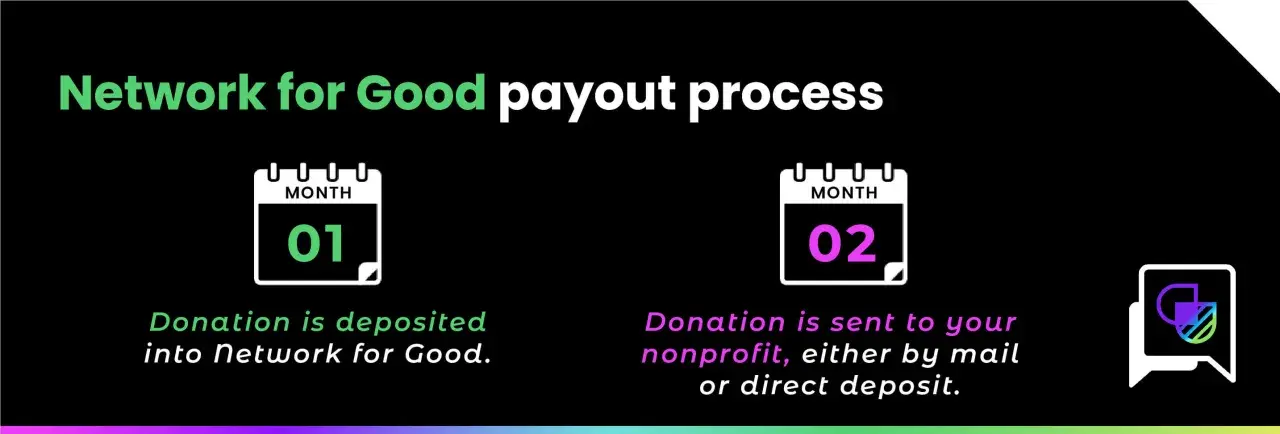
The current disbursement documentation shows two payment routes: For Good at $0/month with a 3% transaction fee, or Bonterra Payments at $0/month with a 2.9% fee plus $0.30 per transaction. That difference matters because the cheapest option depends on how many gifts you process and how large those gifts are. Once you separate those layers, the next question is what pushes the quote up or down.

What drives the final bill
When I model nonprofit software cost, I do not start with the headline number. I start with the variables that can change the quote, because that is where surprises usually hide.
| Cost factor | What it means | Why it matters |
|---|---|---|
| Contract length | Longer renewals can improve pricing, while shorter commitments usually give you less room to negotiate. | Ask how the rate changes at renewal before you sign. |
| Record volume | Bonterra’s pricing FAQ says higher record counts can move you into a higher tier. | Important if your donor list is growing quickly. |
| Admin users | Additional user bands vary by plan. | Relevant if several staff members need full access. |
| Feature mix | Fundraising, donor management, email, SMS, forms, and coaching are bundled differently depending on the quote. | A narrow use case should not pay for a broader stack it will not use. |
| Payment processor | For Good and Bonterra Payments do not cost the same once gift count and size are included. | Small gifts make flat per-transaction fees more noticeable. |
| Onboarding and migration | Data cleanup, imports, and training may be included or scoped separately. | Confirm this early so implementation does not become a hidden expense. |
To see why gift size matters, compare two $2,000 months. If you process 40 gifts of $50, the 3% option costs $60, while 2.9% + $0.30 totals $70. If you process 10 gifts of $200, the 3% option is still $60, but 2.9% + $0.30 comes out to $61. The percentage is similar; the flat fee is what changes the story. That is why I always look at average donation size before I judge the processor.
Once the math is clear, the next step is asking what the platform gives you beyond payment handling.
What you get for the money beyond the fee
The strongest argument for the platform is not the payment fee itself. It is the package around it: donor management, branded donation pages, campaign tools, email, SMS, segmentation, AI guidance, and coaching designed for smaller teams that cannot spare a lot of staff time.
- Donor management keeps records, gifts, and relationships in one place instead of scattering them across spreadsheets.
- Campaign tools help you launch appeals, recurring giving, events, and forms without stitching together multiple products.
- Email and SMS support stewardship, which matters if your fundraising depends on follow-up, not just first gifts.
- AI guidance and coaching can reduce the need for a separate consultant, especially for smaller shops that need tactical direction.
- Limited-access free trial can help you test the workflow before you commit, although it will not replace real contract numbers.
That bundle is why some nonprofits happily pay more than they would for a bare donation form. The next question is whether that extra structure is actually worth it for your team size and fundraising style.
When the price makes sense and when it does not
I would call this a good fit when a small or midsize nonprofit needs a usable all-in-one system, limited IT support, and practical coaching. In that case, the real savings come from time, fewer mistakes, and better donor follow-up rather than from the lowest possible transaction fee.
| Scenario | Why it fits | Why it may not |
|---|---|---|
| Small team with limited tech capacity | Simple workflows and built-in guidance reduce setup friction. | The quote may still feel high if you only need one or two basic tools. |
| Organization that wants coaching | Support and fundraising advice can replace outside consulting hours. | If your staff already has strong fundraising expertise, you may be paying for help you will barely use. |
| Nonprofit with many micro-donations | Solid donor tools still help. | The 30-cent charge in Bonterra Payments can become meaningful when many gifts are small. |
| Group with growing donor records | A broader platform can scale with you. | Higher record tiers may lift the subscription faster than expected. |
If your main goal is the cheapest possible online giving stack, this is probably not the first quote I would chase. If your main goal is to simplify fundraising operations and give a lean team more leverage, the cost can make sense quickly. That tradeoff is exactly why I would budget carefully before I sign anything.
How I would budget for a quote
Before I committed, I would ask for the numbers in three separate buckets: software subscription, payment processing, and implementation support. That makes the quote easier to compare and keeps the sales conversation honest.
- Estimate annual donation volume. Start with total dollars raised and your average gift size, not just last month’s totals.
- Model both processing options. Compare 3% against 2.9% + $0.30 using your real gift count, because the cheaper option changes with transaction size.
- Ask what can trigger a tier change. Record growth, extra admin users, or a longer renewal term can all affect the final price.
- Separate setup from subscription. Migration, training, and data cleanup should be called out clearly so they do not disappear into the fine print.
- Check payment eligibility. If your organization has unusual disbursement needs or fiscal sponsorship, confirm which processor fits before you build the budget around it.
That level of detail takes a little more time upfront, but it is the difference between a quote you can defend and a budget line that surprises your board. From there, the real decision is not just cost, but whether the price matches the way your nonprofit actually works.
What this pricing structure says about fit in 2026
My read is simple: this is a value-driven fundraising platform, not a bargain-bin payment tool. It is priced for nonprofits that want software, support, and a guided process in one place, and the current structure makes that clear by keeping the software quote custom while exposing the processing math separately.If I were comparing vendors, I would focus less on the headline fee and more on what the fee prevents me from doing manually. For a lean team, that can be the real return on the spend. For a tiny shop that only needs a basic donation form, the price may feel heavy, and a simpler stack may be the better fit.
