
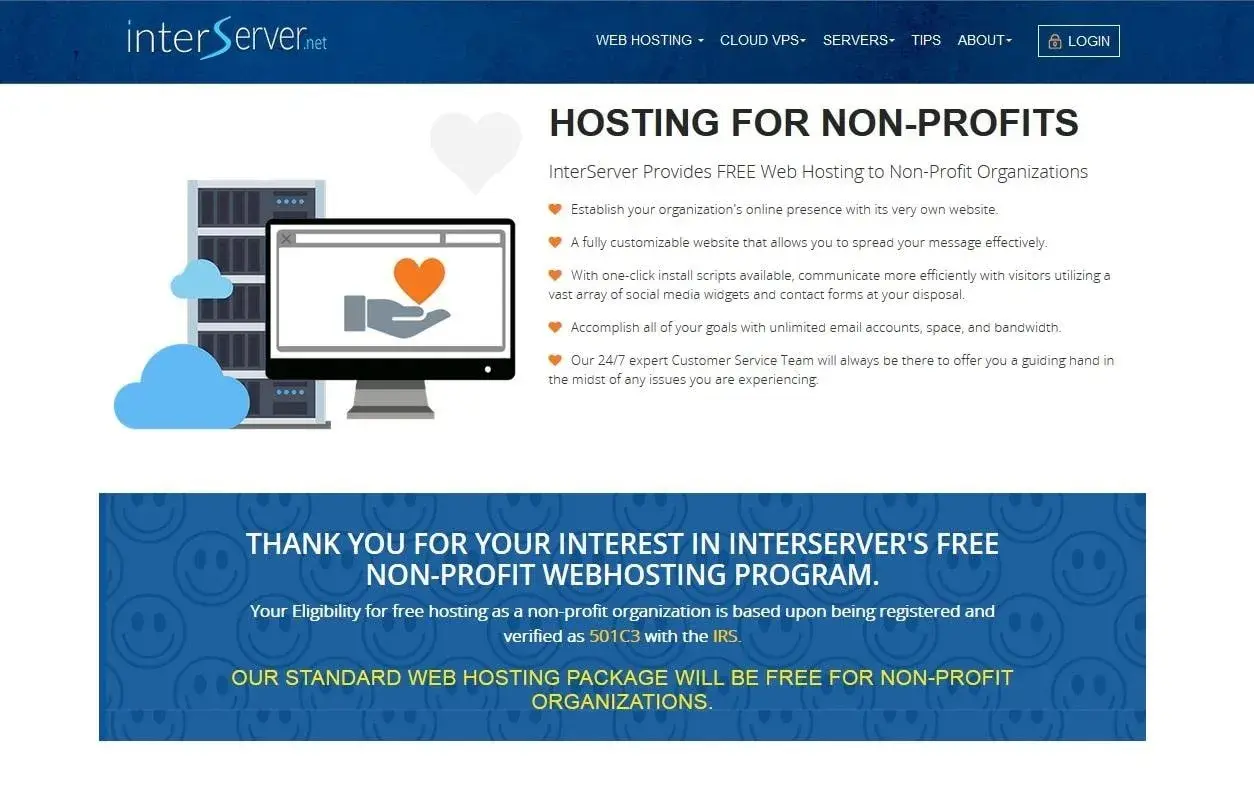
The catch is that “free” rarely means the same thing across providers. Some programs give you shared hosting, some bundle a drag-and-drop builder, and others cover the entire site as a charitable service, so the best choice depends on how much control, support, and nonprofit software integration you need.
Here is the practical takeaway before you compare providers
- Truly free nonprofit hosting exists, but it usually comes with eligibility checks, branding rules, or support limits.
- The right choice depends on whether you need a simple brochure site, a donation-ready platform, or a done-for-you website.
- For U.S. nonprofits, 501(c)(3) verification is the most common gatekeeper.
- Domain registration, email, backups, and migration help can change the real cost more than the monthly hosting price.
- If fundraising and volunteer sign-ups matter, choose software that includes forms, mobile responsiveness, and integration options, not just storage.
What nonprofits actually need from a website host
When I evaluate a nonprofit site, I do not start with server specs. I start with whether the organization can publish updates without calling a developer, whether visitors can donate in two taps, and whether the design works on a phone at a school fair, a food pantry, or a community meeting.
That means the host is really part of your nonprofit software stack. A good setup should support a few non-negotiables:
- A custom domain and SSL so the site looks credible and loads securely.
- Mobile-friendly pages because donors, volunteers, and partners rarely browse on desktop only.
- Easy content editing so staff or volunteers can update program details, events, and news without waiting on outside help.
- Donation and contact forms that connect the website to the rest of your fundraising workflow.
- Backups and admin access so the organization, not just the vendor, can recover if something breaks.
I also care about accessibility. If a visitor using a keyboard or screen reader cannot move through your site cleanly, the site is underperforming no matter how polished it looks. Once those basics are covered, the comparison between free and low-cost options becomes much clearer.

The main free and sponsored options I would compare first
In 2026, truly free offers are still the exception, not the norm. What usually exists is one of three models: free shared hosting for eligible charities, a discounted website builder for nonprofits, or a done-for-you charitable web service. Here is how I would sort the most practical options.
| Option | Best for | What stands out | Main tradeoff |
|---|---|---|---|
| InterServer nonprofit hosting | 501(c)(3) organizations that want straightforward shared hosting | Free standard hosting, email, SSL, support, and app tools | Required “Powered by InterServer” credit, domain registration is separate if you do not already own one, and annual re-verification can apply |
| Kualo charity hosting | Small charities with one primary site and a few landing pages | Entry-level Solo plan can be free or 50% off, with up to 10 email accounts, 5 MySQL databases, and support for around 100,000 page views per month | Best suited to smaller sites, and eligibility depends on the charity review |
| Wix for Nonprofits through TechSoup | Teams that want a visual editor and faster content updates | Eligible nonprofits can access a 70% discount on a 2-year subscription; TechSoup also lists an $82 admin fee | This is a discount program, not fully free hosting, and the platform comes with its own structure and limits |
| Free For Charity | Organizations that want a done-for-you setup | Builds and hosts the site, registers a .org domain, and sets up Microsoft 365 email at no cost | Less hands-on control, so it works best when you are comfortable with a service-led model |
If I were helping a tiny nonprofit get online fast, I would read this table as a simple decision tree. Need the most control? Look at shared hosting. Need the easiest editing experience? Look at the builder. Need someone else to handle the whole setup? Look at the charitable service model. The next step is choosing the tradeoff your team can actually live with.
How I choose the right option for a nonprofit team
I usually narrow the choice with four questions, because the wrong answer to any one of them can create more work later.
- Who will update the site? If the answer is “a staff member with no technical background,” a drag-and-drop builder is usually safer than raw shared hosting.
- Do donations need to live on the site? If fundraising is central, you want forms, recurring giving support, and clear payment workflows, not just a homepage.
- Do you need ownership and portability? If your team may switch platforms later, make sure you can export content, keep the domain, and retain admin access.
- Do you need email and domain bundled? That can save time, especially for smaller groups that do not already have IT support.
I also look at how often the site will change. A grant-funded program page, a volunteer hub, and a static donation brochure do not have the same needs. If your site will change every week, then simplicity matters more than advanced customization. If it will mostly stay still, control and portability may matter more than drag-and-drop convenience.
That is why the best option for one nonprofit can be a poor fit for another. Once you know your update rhythm, the hidden costs become easier to spot.
The hidden costs that make “free” less free than it looks
I am usually skeptical of any offer that sounds completely free forever. Not because the offer is always misleading, but because the real cost often moves somewhere else. Sometimes that cost is money. Sometimes it is staff time.
- Domain registration may still be separate unless the program includes it.
- Email hosting is often an add-on even when website hosting is free.
- Branding requirements can mean footer credits or visible platform badges.
- Storage and bandwidth limits can be fine for a small brochure site, then suddenly become a problem during a campaign push.
- Migration help may be limited, which matters if you are moving from an old WordPress install or a hand-built site.
- Payment and app fees can show up when you connect donation tools, event tools, or CRM integrations.
- Support quality matters more than most teams expect, because a broken contact form during a fundraising drive is not a small issue.
The safest way to think about free nonprofit hosting is this: free can reduce your cash outlay, but it should not make your site fragile. If a “free” setup creates weeks of cleanup later, it is not really free. That is why I always map the launch path before I recommend a provider.
A simple launch path for a small nonprofit website
If I were starting from zero, I would keep the rollout intentionally small and practical. Most nonprofits do not need a massive site on day one; they need a usable one.
- Define the first four pages. I would start with Home, About, Programs or Services, and Contact. If donations are immediate, I would add a Donate page right away.
- Confirm eligibility before signing up. If the provider requires 501(c)(3) proof, gather your determination letter and organization details first.
- Secure the domain early. If the program includes a .org domain, great. If not, make sure the nonprofit owns the domain separately and can move it later.
- Choose the simplest editing workflow. A small team needs a system that makes updates easy, not a system that only looks powerful in a demo.
- Connect the practical tools. That usually means donation forms, volunteer sign-up forms, email forwarding, and analytics.
- Test on mobile before publishing. I would check buttons, form fields, contrast, and page speed on an actual phone, not just a desktop browser.
When I would stop chasing free hosting
There is a point where free hosting stops being the smartest choice. I see that point when the website begins to act like core infrastructure rather than a simple information page.
- If you need recurring donations, membership logins, event registration, or CRM sync, a free tier may be too limited.
- If multiple staff members need editing access, a platform with better roles, permissions, and support becomes more important.
- If your site is tied to campaigns or seasonal traffic spikes, tight storage or bandwidth limits can become a real bottleneck.
- If your organization depends on a polished brand presentation, a mandatory platform badge or footer credit may undermine trust.
- If your team is spending hours compensating for platform limits, a modest monthly fee can be cheaper than the labor you are burning.
In practice, I often find that a low-cost paid plan is the better nonprofit decision once the website starts supporting real operations instead of simply describing them. Paying a small amount can be more efficient than forcing a free plan to do work it was never built to do.
What I would lock in before launching a nonprofit site
If I had to reduce the whole decision to a short checklist, I would focus on four things: ownership, simplicity, flexibility, and continuity. Those are the details that keep a nonprofit from getting trapped by a short-term workaround.
- Keep the domain under the organization’s control.
- Make sure at least one internal person can manage login recovery and admin access.
- Choose the smallest platform that can still handle donations, forms, and basic growth.
- Revisit the setup after six months to see whether it still fits the way the organization actually works.
For most U.S. nonprofits, the best answer is not the most advertised free plan. It is the option that lets a small team publish reliably, support its mission, and change course later without rebuilding everything from scratch.
