
What matters most before you compare platforms
- Free can mean truly zero platform fee, or it can mean free software with normal payment-processing costs still attached.
- For most nonprofits, supporter experience matters more than the cheapest headline price.
- Zeffy and Give Lively are the cleanest zero-platform-fee options; Givebutter and Donorbox are useful when you want more flexibility and can accept a different cost model.
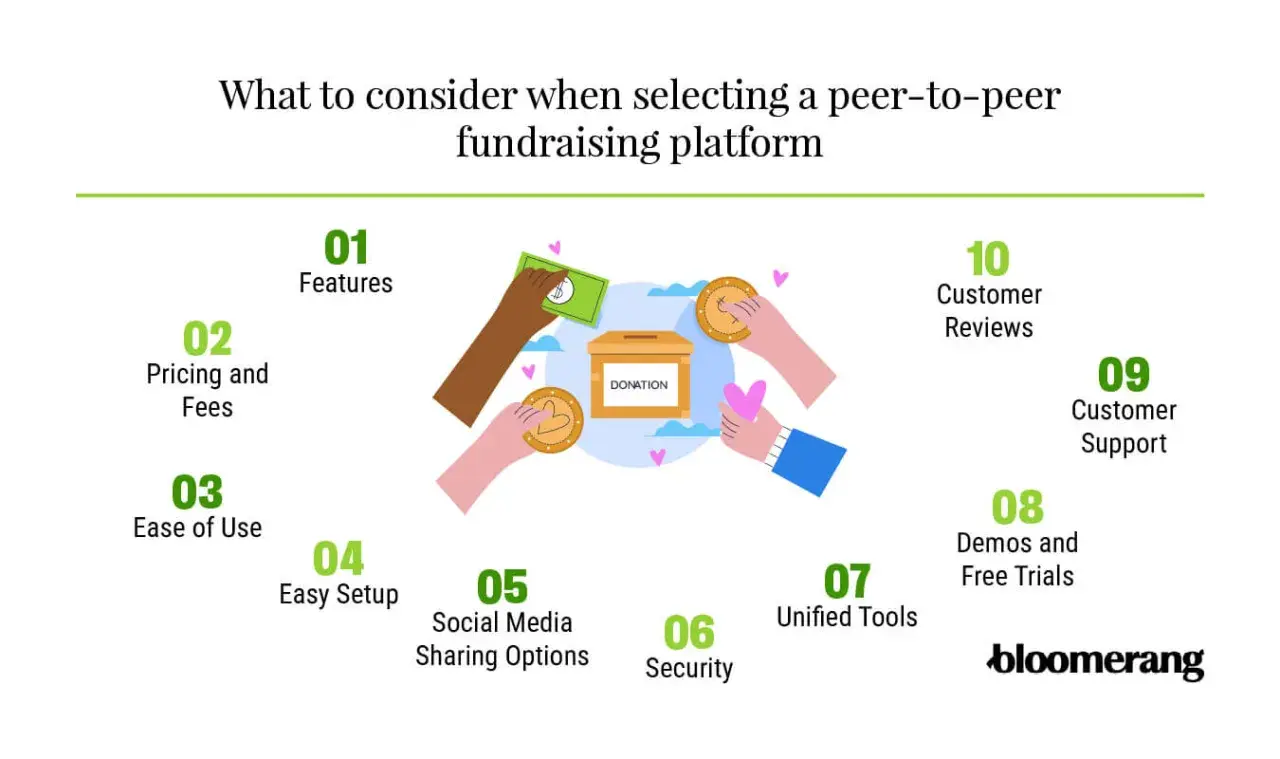
- Look for team pages, donor receipts, automation, and CRM exports before you chase extra features.
- If your campaign depends on volunteers or board members, pick the tool they can learn in minutes, not hours.
What free really means in peer-to-peer fundraising
There are three different cost layers to separate. A platform fee is what the software vendor charges for using the product. A processing fee is charged by the payment rail that moves the money, usually a card network or payment processor. And a donor tip is an optional contribution that some platforms use to offset the software cost.
That distinction matters because two platforms can both advertise themselves as free while producing very different net revenue. A $50 credit-card gift with a 2.9% + $0.30 processing charge costs $1.75, so the nonprofit receives $48.25 before any platform fee is added. On a large campaign, that difference is not cosmetic; it changes how many fundraisers you can run, how much staff time you can afford, and whether small gifts still feel worth collecting.
In practice, I treat the fee page as part of the product. If the economics are unclear, the campaign will be harder to explain to fundraisers and donors alike. Once you separate the fee types, the platform comparison becomes much more honest, which makes the next step easier.
The free options worth comparing right now
For a nonprofit in the United States, the practical choice is usually between a truly free platform and a free-to-start tool that shifts costs into processing or optional donor support. I would compare the core economics first, then look at the fundraising features that will actually matter to supporters.
| Platform | Cost model | Best fit | Main trade-off |
|---|---|---|---|
| Zeffy | 100% free for nonprofits; no platform, transaction, or credit card fees; optional donor tips | Organizations that want the cleanest zero-fee model | The tip-based model can feel unfamiliar to some donors |
| Give Lively | Free nonprofit membership with no platform fee; third-party processing fees still apply | Small and mid-sized nonprofits that want a free platform layer | You still need to account for payment processing |
| Givebutter | Core tools are free with optional donor tips; if tips are disabled, a 3% platform fee plus processing applies | Teams that want fundraising pages, CRM tools, and supporter engagement in one place | Cost changes depending on how you configure the campaign |
| Donorbox Standard | No setup or monthly fee, but per-donation platform costs apply; supporter campaigns carry a higher fee than main campaigns | Nonprofits that want low-friction donation pages and flexible campaign setup | It is not a zero-cost model if you absorb all fees |
How to choose the right fit for your campaign
The right platform depends less on brand recognition and more on how people will actually fundraise for you. When I evaluate nonprofit software, I start with the campaign shape and work backward to the features.
Choose for supporter-led individual pages
If each supporter will create a personal fundraising page, the platform needs to make setup almost effortless. Look for fast page creation, prewritten copy blocks, social sharing buttons, and a clean mobile flow. The best tools let a volunteer publish a page in minutes, not after a long setup call. If the page takes too much effort, people stop before they start.
Choose for team challenges and board campaigns
If your campaign depends on teams, a leaderboard, or friendly competition, you need better structure. Team pages, progress thermometers, and the ability to show how one fundraiser connects to a larger goal matter here. This is where peer-to-peer software becomes community software: people are not only donating, they are seeing themselves inside a shared effort. A board challenge, school drive, or neighborhood campaign gets stronger when the page architecture makes that social layer visible.
Read Also: Nonprofit Software - Build a Stack That Actually Works
Choose for event-linked or seasonal drives
If the fundraiser is attached to an event, Giving Tuesday, a walkathon, or a year-end appeal, flexibility matters more than novelty. I would look for recurring-giving support, ticketing or event add-ons if needed, and strong reporting so you can see what happened during the peak days. Seasonal campaigns also benefit from templates, because your team should not have to rebuild the same structure every time the calendar turns.
Once you know which campaign model you are running, the feature list gets much shorter and much more useful. That naturally leads to the next question: which features actually change results, and which ones just sound good in a demo?
Features that matter more than the headline price
I would rather see a nonprofit use a solid, low-cost tool well than chase a supposedly free platform that creates chaos behind the scenes. The features below usually have more impact on net revenue than a small pricing difference.
- Mobile-first donation pages because most supporters will open your campaign from a phone, not a desktop.
- Fundraiser dashboards so individual participants can see progress, shares, and donor activity without asking staff for updates.
- Automated receipts and thank-you emails to reduce manual follow-up and keep donors from wondering whether their gift went through.
- CRM sync or clean exports, where CRM means customer relationship management, so donor data does not get trapped in a spreadsheet.
- Tagging and segmentation, which means labeling donors or fundraisers so you can send the right follow-up to the right people.
- Integrations with email, SMS, and accounting tools if your nonprofit already works in a connected software stack.
- Payout timing and visibility so finance and development teams know when money will arrive and how it is recorded.
For a U.S. nonprofit, these details affect receipting, reporting, year-end stewardship, and staff workload. A platform that saves a few dollars but forces your team to manually sort donor records is not really free in any practical sense. That is why I always ask how much of the work the software removes, not just how much it charges. Those capabilities matter because the cheapest tool on paper can still be expensive in staff time.
The hidden costs that can quietly eat a free campaign
Most expensive campaigns do not become expensive because of one dramatic fee. They become expensive because of a chain of small mistakes. The first is relying on donor tips without testing the checkout flow. If supporters do not understand why they are being asked to tip, some will hesitate, and your net revenue can become unpredictable.
The second is overbuilding the campaign. I have seen teams spend hours customizing pages, colors, and automation before they have even recruited their first fundraiser. That usually produces a polished page and a weak launch. A simpler template plus a faster rollout is often the better trade-off.
The third hidden cost is staff time. If a platform requires constant manual cleanup, duplicate entry, or repeated support requests from fundraisers, you are paying for the software in labor instead of dollars. A tool that saves $30 in fees but burns half a day of staff time is usually a bad deal for a lean nonprofit.
The fourth mistake is ignoring the donor journey after the gift. A campaign that does not segment, thank, and re-engage supporters loses the long-term value of the relationship. You may have collected the donation, but you have not built the next one yet. Once you see the hidden costs, the rollout becomes easier to plan.
A simple rollout plan for a U.S. nonprofit
If I were launching a first campaign on a low-cost platform, I would keep the process disciplined and small. The goal is to validate the model before you ask every supporter to participate.
- Pick one campaign type and one audience, such as board members, alumni, or neighborhood volunteers.
- Confirm your nonprofit setup, including bank details, authorized contacts, and any verification the platform requires for U.S. payouts.
- Decide who covers fees before launch, whether that means the nonprofit, the donor, or an optional tip model.
- Build one template page with a short story, a clear goal, a deadline, and two or three ready-to-share messages.
- Recruit a small pilot group of five to ten fundraisers and give them graphics, sample copy, and a specific launch date.
- Set up receipts, tags, and thank-you automation so follow-up happens immediately and records stay clean.
- Review the first 48 hours for conversion issues, page drop-off, and any confusion fundraisers are reporting.
That is enough to tell you whether the platform fits your team before you scale the campaign. If the pilot feels clumsy, fix the page and the instructions before you recruit more people. With the setup clear, the final decision comes down to how much complexity your team can realistically support.
The smartest low-cost path for your first campaign
For a first peer-to-peer campaign, I would optimize in this order: supporter adoption, net revenue, and staff simplicity. A truly free platform only wins if it makes it easier for people to create pages, share them, and keep donors moving without confusion. If the software is free but the experience is awkward, the campaign will underperform.
For most U.S. nonprofits, the safest move is to choose the simplest platform that matches the campaign model, run one real test, and measure how quickly supporters can get from setup to first donation. Keep the page fast, the ask specific, and the follow-up immediate. That combination usually does more for community fundraising than another layer of software ever will.
