
What matters most at a glance
- It centralizes board work before, during, and after meetings in one secure system.
- Nonprofits benefit most when they need stronger governance, committee coordination, and document control.
- The best tools include agenda building, board packs, minutes, voting, permissions, and audit logs.
- Pricing varies a lot, from per-user monthly plans to annual per-board licenses and quote-based enterprise packages.
- Adoption only works if the board uses it consistently and the process behind it is clear.
What board management software actually does
At its core, board management software is a governance workspace. It pulls the messy parts of board administration into one controlled environment so people can stop hunting through email threads, shared drives, and calendar invites. Instead of scattering agendas, packets, minutes, and approvals across different tools, the platform keeps the full board cycle in one place.
I usually think about it in three stages. Before the meeting, administrators build the agenda, gather documents, and distribute the board packet. During the meeting, members can review materials, annotate documents, vote, and follow the discussion without juggling apps. After the meeting, the software helps record minutes, assign actions, capture signatures, and preserve a searchable governance trail.
That structure matters because boards do not just need storage; they need a workflow. A file folder can hold documents, but it will not organize approvals, show who opened what, or keep action items from disappearing after the meeting ends. That difference is what turns a basic repository into a real board administration tool. From there, the next question is why nonprofits tend to feel the pain more sharply than other organizations.
Why nonprofits need a different setup from general collaboration tools
Nonprofit boards usually operate with limited staff support, a mix of volunteers and executives, and a heavy dependence on committee work. That makes governance less predictable than a typical internal team workflow. A shared drive or chat app may help with communication, but it rarely gives the board the structure it needs for oversight, documentation, and accountability.
In nonprofit settings, the platform has to do a few extra jobs well. It needs to handle committee packets without confusion, protect sensitive financial and donor-related documents, and make it easy for board members who only log in once or twice a month. It also needs to reduce friction for people who are not especially technical. If a system looks powerful but is awkward to use, volunteer directors will quietly avoid it and the organization ends up back in email.
That is the main nonprofit difference: the software has to support governance without demanding much from the people doing the governance. For a mission-focused board, adoption is as important as features, and that leads directly to the tools that actually matter in practice.

The features that matter most in 2026
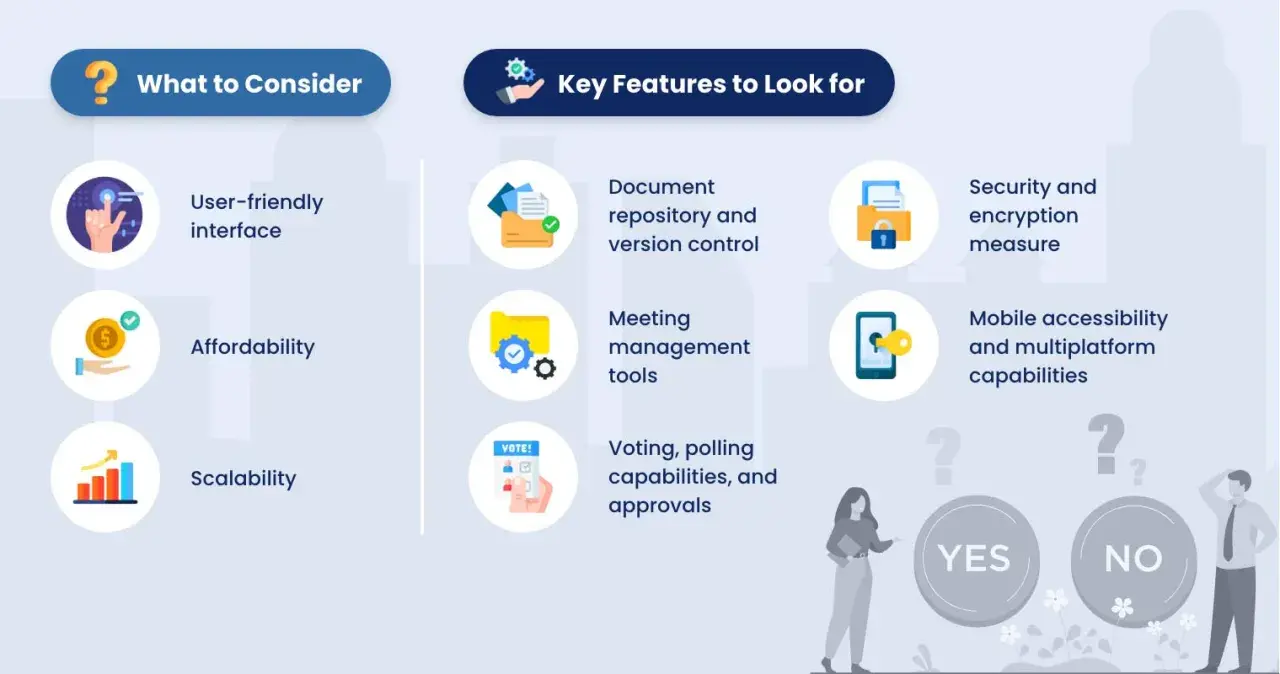
Most platforms advertise a long list of capabilities, but a nonprofit board usually gets the most value from a small set of functions that support real board behavior. If I were evaluating a platform today, I would prioritize the features below before I got distracted by extras.| Feature | What it solves | Why it matters for nonprofits |
|---|---|---|
| Agenda builder | Turns a rough meeting outline into a structured board agenda | Helps staff and secretaries prepare meetings faster and keep topics in order |
| Board packet management | Combines reports, proposals, and background documents into one packet | Reduces last-minute emailing and gives members one reliable place to review materials |
| Role-based permissions | Controls who can view, edit, or download specific files | Protects sensitive documents and keeps committee access appropriately limited |
| Audit log | Records activity such as uploads, edits, and access | Creates a clearer governance trail for accountability and internal review |
| Voting and approvals | Lets the board approve actions digitally | Speeds up decisions between meetings without losing traceability |
| Minutes and action tracking | Captures decisions and assigns follow-up tasks | Prevents important work from fading after the meeting ends |
| Mobile access | Lets members read and respond from a phone or tablet | Helps volunteer boards stay engaged even when they are traveling or working remotely |
Two technical terms are worth decoding. Role-based permissions mean each person sees only the content tied to their role, and audit logs are system records that show who did what and when. Those features do not sound glamorous, but they are exactly the kind of guardrails that make board governance feel orderly instead of improvised.
Once the feature set is clear, the real work becomes choosing the right platform for the board structure you actually have, not the one a vendor imagines in its sales deck.
How I would choose a platform for a nonprofit board
When I evaluate board software for a nonprofit, I start with workflow rather than branding. A polished interface is useful, but the software has to match the organization’s meeting rhythm, committee structure, and administrative capacity. Otherwise, it becomes another underused system with a monthly bill attached.
- Map the board cycle first. List what happens before each meeting, during the meeting, and afterward. If the board packet takes a week to assemble, the platform should reduce that time, not just store the finished file.
- Check committee needs separately. Many nonprofits run finance, fundraising, governance, and program committees. The software should make it easy to separate or share materials without creating access chaos.
- Test the admin experience. A system can look simple to directors and still be painful for the person building agendas, posting documents, and sending reminders. I always pay attention to the administrator workflow first.
- Look for onboarding that fits volunteer boards. If directors need a long training sequence to read a packet or vote on a resolution, adoption will stall.
- Run a real pilot. Use one real board packet, one meeting, and one set of follow-up actions. Demo data is too neat; real governance work exposes friction quickly.
I also pay close attention to integrations. If your nonprofit already uses cloud storage, CRM tools, or Microsoft 365, the new platform should complement that stack instead of forcing duplicate work. That is especially important when staff time is limited and every extra login matters. Once you know what the software must do, the next issue is the budget it will take to do it.
What board software costs and where the hidden fees hide
Pricing in this category is inconsistent, which is why buyers often compare the wrong numbers. Some vendors charge per user each month, some charge per board each year, and some quote only after a demo. For a nonprofit, the pricing model can matter as much as the sticker price because board size and committee structure affect the final bill.
| Pricing model | Typical fit | Watch for |
|---|---|---|
| Per user, per month | Smaller boards or organizations with a few active users | Costs can climb quickly as more directors and committee members are added |
| Per board, per year | Volunteer-heavy boards with many users but one governance structure | Subcommittee add-ons and premium support may still increase total spend |
| Quote-based pricing | Complex organizations with security, training, or implementation needs | Implementation, storage, support, and onboarding may not be obvious up front |
The hidden costs usually show up in training, extra storage, premium support, implementation help, and add-on modules for voting or signatures. I would rather buy a slightly more expensive plan with clear terms than a cheaper one that grows unpredictably once the board starts using it seriously. Cost matters, but cost alone does not predict success, which is where a lot of implementations go wrong.
Where adoption fails and how to avoid it
The biggest failure mode is not technical. It is organizational. A board can buy excellent software and still underuse it if the process behind it is vague. If no one owns the agenda, no one standardizes document naming, and no one explains where decisions live, the platform becomes a digital clutter drawer.
Another common problem is overbuying features. Nonprofits often do not need every advanced capability on day one. If the board only needs secure packets, minutes, and approvals, a sprawling enterprise package can create more complexity than value. I usually recommend starting with the smallest feature set that solves the actual pain points, then expanding only when the board has proven it will use the system consistently.
Training deserves more attention than vendors sometimes admit. People do not resist board software because they hate efficiency; they resist because they do not want to relearn a process for a meeting that only happens monthly or quarterly. Short, role-specific onboarding works better than generic product tours. The same is true for migration: if old minutes, policies, and packets are not moved in a clean way, members will keep referring back to email or paper archives.
In short, software cannot repair weak governance habits on its own. It can only make good habits faster and more visible, which brings the discussion to the real test of any platform.
The real test is whether the board uses it
The best board software is not the one with the longest feature list. It is the one that the board secretary, executive director, committee chairs, and volunteer directors can all use without friction. If it reduces preparation time, protects records, and makes meetings easier to run, it is doing its job.
For nonprofits, the practical goal is simple: less administrative drag, better governance, and clearer accountability. If a platform helps your board read materials on time, make decisions cleanly, and preserve a reliable record of what happened, it is worth serious attention. If it only digitizes the same confusion, it is not an upgrade.My rule of thumb is straightforward: choose the tool that fits the board’s workflow, not the tool that looks most impressive in a demo. That approach keeps the mission at the center, which is exactly where nonprofit governance belongs.
