
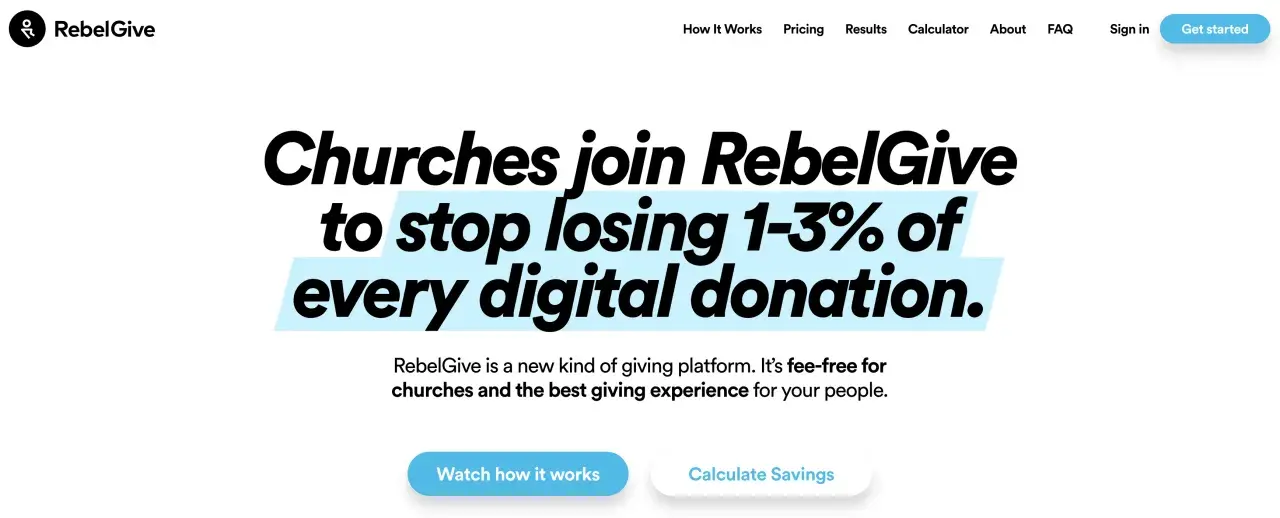
Church giving software succeeds or fails on two things: friction and trust. Donors want a fast mobile flow, while staff need clean records, predictable fees, and year-end reporting that does not turn into a scavenger hunt. RebelGive sits in that space as a church-focused giving platform, and I am unpacking what it does well, where the money math changes, and when a broader nonprofit system is the better move.
What matters before you choose a church giving platform
- RebelGive is built primarily for churches, not for broad, all-purpose nonprofit fundraising.
- Its main value is a low-friction donor flow, plus admin tools for receipts, reports, and recurring gifts.
- Public comparisons in 2026 place entry pricing around $49 per month, with higher tiers for larger churches.
- Annual billing may reduce the bill by about 20%, so the real cost depends on how long you plan to stay.
- The strongest fit is a church that wants simpler online giving without moving to a full CRM-first stack.
What this platform is built to solve
When I look at giving software, I start with the problem it is trying to remove. In this case, the problem is not just “accept a donation online.” It is the mess around that donation: long forms, mobile drop-off, unclear fees, donor follow-up, and the small admin tasks that pile up after every service, campaign, and year-end statement.
RebelGive is designed for churches that want a leaner giving workflow instead of a bulky fundraising suite. That matters because church giving is usually recurring, relationship-driven, and tied to stewardship rather than one-off transactions. The software has to help people give quickly, then help staff track those gifts without creating a second job for finance or ministry teams.
That framing is important because it separates a giving tool from a full nonprofit operating system. Once that distinction is clear, the donor experience becomes the next thing worth examining.

How the donor flow is meant to feel
The core idea behind RebelGive is a step-by-step donation experience. Instead of forcing donors through a long, intimidating form, the flow asks for information in smaller pieces. I think that design choice matters more than most churches realize, especially on mobile, where every extra field can feel like a reason to quit.
That is also why the platform leans heavily on its GivingFlow concept. The practical promise is simple: donors can start giving from different parts of the website, move through a guided flow, and finish without feeling like they have been pushed into a generic payment page. For a church website, that is a real improvement over the old “click here, open a separate form, scroll, fill, submit” pattern.
There is a second benefit that is easy to overlook: donor self-service. When people can see their giving history, update payment methods, manage recurring gifts, and download reports on their own, the church spends less time answering routine support questions. That kind of self-service is not flashy, but it is one of the best signs that the software is built for real operations rather than a brochure demo.
The next question is whether the admin side is equally practical, because that is where a lot of giving tools quietly fall apart.
What the admin team actually gets
For church staff, the admin layer matters as much as the donation page. A good platform should let the team see recent gifts, assign permissions sensibly, manage funds or designations, and keep offline giving in the same conversation as online giving. If those pieces are scattered, the software starts to create reconciliation work instead of reducing it.
In practical terms, I would want the admin side to handle these jobs well:
- Track recurring and one-time gifts without making reporting painful.
- Issue receipts and year-end contribution statements automatically.
- Support multiple users with different levels of access.
- Keep fund or designation setup simple enough for nontechnical staff.
- Show both online and offline gifts in a way that finance can trust.
That last point is the real test. Churches rarely live in a purely digital world, so the software has to respect cash, checks, and legacy workflows without making them a separate mess. If the admin view cannot absorb those realities, the platform is only solving half the problem. Once you know what the team needs, the pricing conversation becomes much easier to judge.
How the pricing math works in practice
This is where many churches either overpay or underestimate the tradeoff. Publicly listed comparisons in 2026 put RebelGive’s entry pricing around $49 per month, with higher tiers for larger churches reaching roughly $219 per month. The help material also notes that annual billing can save about 20%, which is meaningful if you know you are staying with the platform for more than a season.
The bigger question is not the sticker price. It is the total cost against your giving volume. Here is the simplest way I would model it:
| Annual online giving volume | 2.5% platform cut on donations | What a flat subscription changes |
|---|---|---|
| $30,000 | $750 | A flat monthly fee may or may not beat percentage pricing, depending on card and processing costs. |
| $200,000 | $5,000 | A subscription model can become materially cheaper if the platform does not take a revenue share. |
| $500,000 | $12,500 | At this scale, percentage-based pricing gets expensive fast, even before fixed processor fees. |
That table is why fee structure matters more than marketing language. A church that gives online at scale will feel a percentage cut very quickly. A smaller church, by contrast, may care more about ease of use and predictable budgeting than about shaving every fee line. I also pay attention to who covers convenience or processing charges, because donor-facing fee handling can affect completion rates and perception of transparency.
In other words, pricing is not just a math question. It is a donor-experience question disguised as finance. That leads naturally to the broader stack question: is this a standalone giving tool, or part of something larger?
Where it sits in a nonprofit software stack
I do not think of RebelGive as a replacement for everything. I think of it as a specialized layer in a church’s nonprofit software stack. If your primary need is online giving, recurring stewardship, donor receipts, and statement management, a focused giving platform makes sense. If you need event registration, membership logic, volunteer coordination, broader donor segmentation, and deeper campaign workflows, you may need a fuller system.
Here is the cleanest way to compare the categories:
| Software category | Best for | Main tradeoff |
|---|---|---|
| Church-focused giving platform | Online tithes, offerings, recurring gifts, receipts, and year-end giving statements | Usually narrower than a full nonprofit CRM |
| General nonprofit fundraising software | Organizations with campaigns, events, peer-to-peer fundraising, and mixed donor audiences | May be less tailored to church stewardship language and workflows |
| Full CRM or constituent platform | Large teams that want donors, programs, communications, and reporting in one place | Heavier setup and more internal maintenance |
My rule of thumb is simple: use a specialized giving platform when donation collection is the main pain point, and use a broader system when giving is only one part of a much larger operational picture. That distinction keeps you from buying more software than you can realistically maintain. From there, the final question is fit.
When I would choose it and when I would not
I would seriously consider RebelGive if I were helping a U.S. church that wanted a more modern giving experience without jumping into a large, expensive platform migration. It is a stronger fit when the team values mobile-friendly donations, predictable pricing, and self-service donor records more than they value a giant feature list.
Good fit
- You are a church or faith-based ministry with recurring tithes and offerings.
- You want the giving flow to feel lighter on mobile devices.
- You care about keeping platform fees predictable.
- You want donors to handle their own history, recurring gifts, and statements.
Read Also: Nonprofit Software - Build a Stack That Actually Works
Poor fit
- You run a broad nonprofit with many fundraising channels beyond donations.
- You need deeper CRM features, grant tracking, or event-heavy fundraising.
- Your finance and admin team needs a single system for many unrelated workflows.
- You want the software to replace your broader constituent management stack.
The hidden cost to watch is not just subscription price. It is implementation discipline. Even a good platform can disappoint if the team does not test receipts, update website links, explain the new donor flow clearly, and check that reporting matches what finance expects. I have seen more software disappointments come from weak rollout than from weak features.
If the church is ready for a focused giving tool, the decision becomes easier. If the church is still trying to make one platform do everything, that is usually the wrong moment to buy a specialist product.
The decision I would make after a demo
After a demo, I would ask three questions: does the donor flow feel fast on a phone, does the admin side reduce real work, and does the pricing stay better than my current fee structure once giving volume grows? If the answer to all three is yes, RebelGive is worth a serious look. If one of those answers is shaky, I would keep comparing it against broader nonprofit software before making a switch.
For the right church, the value is not novelty. It is fewer barriers between intention and giving, cleaner back-office work, and a cost model that does not punish growth as quickly as percentage-based platforms do. That is the practical standard I would use in 2026, and it is the standard that keeps the software useful after the launch excitement fades.
