
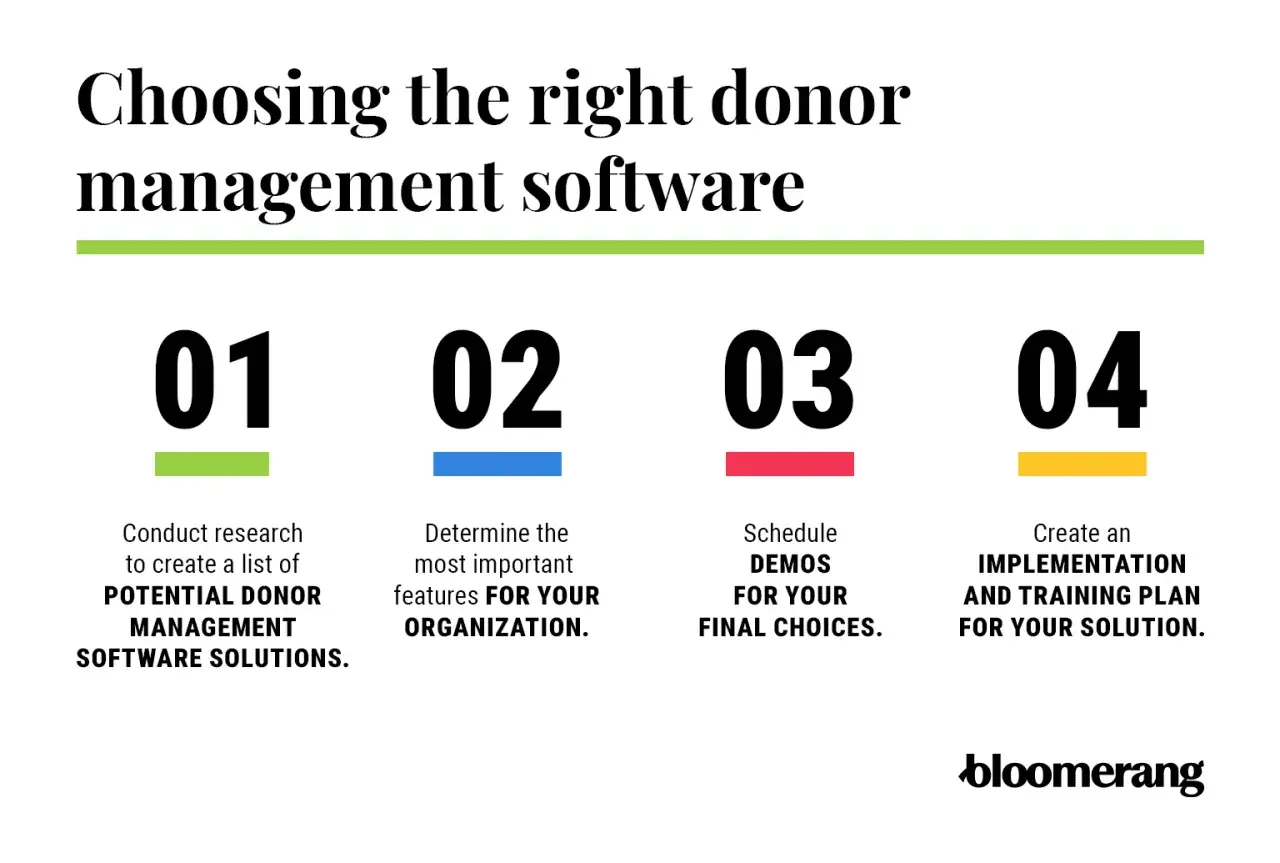
What matters most before you choose a free donor tool
- “Free” usually means three different things: zero-fee platform, free-to-start with transaction costs, or open-source software with hosting costs.
- The best fit depends on your workflow: simple donor records, recurring gifts, events, memberships, or custom reporting all point to different tools.
- For U.S. nonprofits, tax receipts and donor history matter as much as fundraising forms. A cheap tool that can’t keep clean records becomes expensive fast.
- Transaction fees can matter more than subscription fees. A $0 monthly plan may still take a cut of every gift.
- Open-source systems trade money for time. If you have technical help, that can be a good deal; if not, it can stall adoption.
How free donor management software usually pays its own way
The first thing I look for is not the feature list, but the business model behind it. Most no-cost donor systems fall into three buckets: truly free platforms, free-to-start platforms that still take a fee on each donation, and open-source tools that cost nothing to license but do cost money to host, configure, and maintain.
That distinction matters because a nonprofit budget is rarely flexible in the same way software marketing is. If your board hears “free,” they usually think “zero dollars.” In reality, a platform can be free in one sense and still create a monthly bill through payment processing, donor tips, add-ons, or outside implementation help.
- Zero-fee platform: you do not pay a platform subscription, and in some cases you do not pay processing fees either.
- Free to start: the account costs nothing to open, but each donation may still carry platform and processor fees.
- Open source: the software itself is free, but you pay in hosting, staff time, setup, and support.
For most U.S. nonprofits, the right question is not “Which one is cheapest on paper?” It is “Which one lets us keep donor records clean and fundraising moving without creating a hidden operations burden?” Once that is clear, the shortlist gets much smaller.

The strongest no-cost options for U.S. nonprofits
When I compare free options, I focus on what the team actually gets on day one, not the brand promise. The table below is the fastest way to see the difference between a true no-cost platform, a fee-light option, and a free system that still needs some infrastructure behind it.
| Tool | What is free | Best for | Main trade-off |
|---|---|---|---|
| Zeffy | Donation tools and donor management with no platform fees and no processing fees | Small teams that want to keep every dollar raised | Less suited to highly customized enterprise workflows |
| Give Lively | No setup, subscription, monthly, or platform fees | U.S. 501(c)(3) nonprofits that want a clean, fee-light fundraising stack | Third-party payment processing still applies, and eligibility is reviewed |
| CiviCRM | Free and open-source software with no license or user fees | Organizations with technical help and custom data needs | Hosting, implementation, and maintenance are on you |
| Mightycause | $0/month subscription and donor management tools on the free tier | Teams that want fundraising pages and CRM functions in one place | Transaction costs still matter, and some features depend on the pricing model |
| Donorbox | Free account to start on the Standard plan | Organizations that can live with a transaction-based model | Platform fees of 2.95% to 3.95% apply on the free plan |
My short read is simple: Zeffy is the cleanest choice if the goal is to avoid fees altogether, Give Lively is strong for U.S. nonprofits that want a no-platform-fee experience, CiviCRM is the best fit when control matters more than convenience, and Mightycause sits in the practical middle ground for teams that want donor management built into the fundraising stack. Donorbox is worth understanding, but I would treat it as free to start rather than free to run.
That mix of models leads to a more important question: which one fits the way your nonprofit actually raises money?
How I would match the tool to your fundraising model
Software choice gets much easier once I start with the fundraising shape instead of the software brand. A two-person volunteer team, a church with recurring tithes, and a community nonprofit running events all need different things from the same basic donor system.
For startup nonprofits
If you are replacing spreadsheets or a pile of inbox exports, I would prioritize speed, simplicity, and donor history. You need contact records, gift history, acknowledgments, and a clean export before you need fancy automation. In that situation, Zeffy or Give Lively usually makes more sense than a complex CRM, because the setup burden stays low and the team can actually keep the database current.
For recurring giving
Monthly donors change the calculus. You need a system that makes recurring gifts easy to track, easy to update, and easy to thank properly. I would look closely at whether the platform handles recurring records, card updates, and donor segmentation without forcing a paid upgrade at the first sign of growth. If recurring revenue is central to your budget, the “free” option that hides the least friction is usually the better one.
For events and memberships
Event ticketing and membership renewals often expose the limits of a basic donor database. A tool can be free and still be a poor fit if it makes you juggle five separate systems to manage one gala or one annual membership cycle. In that case, I would lean toward a broader fundraising platform like Mightycause or a more flexible system if your team has the capacity to configure it.
Read Also: Free Software for Nonprofits - Build Your Lean Stack Now
For custom workflows and multi-program organizations
If you manage multiple programs, chapters, or donor segments with different reporting rules, I would look harder at CiviCRM. Open-source software is not the easiest option, but it gives you the most room to build around your own process. That matters when the structure of the organization is more complex than a standard donation form and a donor list.
The main lesson here is that “best” depends less on price and more on the shape of your fundraising engine. Once that is clear, the hidden costs are much easier to spot.
The hidden costs that matter more than the monthly fee
Free tools can still be expensive if they drain staff time or create bad data. In my experience, the real cost of a donor system often shows up in the first six weeks after launch, not on the pricing page.
- Payment processing: even when the platform itself is free, card or bank transfer fees may still apply.
- Data cleanup: old spreadsheets usually contain duplicates, incomplete addresses, and inconsistent naming that need manual fixes.
- Training time: a free system with weak support can still cost more if your staff has to teach itself every workflow.
- Customization limits: if you need custom fields, automations, or branded receipts, those features may sit behind a paywall.
- Reporting gaps: if you cannot segment donors or track retention, you lose the real value of a CRM.
- Export control: I always check whether the nonprofit can leave with its own data in a clean format.
The hidden cost I watch most closely is staff friction. A system that looks free but makes every thank-you note, every reconciliation, and every donor search slower will cost more than a modest paid plan. The cheapest tool is the one your team can actually operate without resentment.
That is why I like to test the workflow before I celebrate the price.
A 30-day setup path that keeps the database usable
If I were moving a small nonprofit off spreadsheets, I would spend the first month on structure, not aesthetics. The goal is to make the donor record trustworthy before you try to make it impressive.
- Define the fields you actually need, such as name, email, donation history, campaign source, consent status, and internal notes.
- Clean the donor list before importing it, then deduplicate records so one supporter does not appear three different ways.
- Set up one receipt template and one thank-you workflow before building anything advanced.
- Create four basic donor segments: first-time, repeat, monthly, and lapsed.
- Run one real campaign and test the full path from donation to receipt to export to reporting.
I would also test mobile behavior early. Many supporters will give from a phone, and many small nonprofit staff members will review records from a phone when they are out of the office. If the interface is awkward on mobile, adoption usually drops faster than anyone expects.
One other rule: if the platform cannot export your data cleanly on day one, I would treat that as a warning sign. A nonprofit should never feel trapped by a donation database.
What I would watch after the first campaign rolls in
Once the first campaign is live, I look for three things: whether donors are credited correctly, whether staff can answer basic questions without opening a spreadsheet, and whether the reports show something useful about retention. If all three are true, the system is probably doing its job.
If not, the problem is usually not that you picked the wrong logo or the wrong dashboard color. It is that the tool does not match your capacity, your fundraising rhythm, or the level of control your nonprofit actually needs. That is where the best no-cost choice becomes the one that keeps working after the novelty wears off.
My rule is simple: start with the lowest-cost option that fits your current process, then upgrade only when a missing feature creates real friction. For many U.S. nonprofits, that means choosing a platform that handles donor history, receipts, recurring gifts, and clean exports without forcing a big implementation project. That is the most practical way to turn budget restraint into a system that still supports the mission.
